Views: 0 Author: Site Editor Publish Time: 2026-03-26 Origin: Site
Experts say kids ages 7 to 10 can use their first smartwatch. This age helps them learn to be responsible and use technology safely.
Kids ages 4 to 6 need simple smartwatches. These watches should have safety features like GPS and calling. They should not have internet access.
Parents should check if their child is mature and responsible before buying a smartwatch. Look for signs like if your child keeps track of their things.
Teach your child about digital safety. Talk about privacy and make clear rules for using the smartwatch. This helps your child stay safe.
Smartwatches let kids stay in touch without full internet access. They can call approved contacts and their location can be tracked for safety.
You might wonder when most families start thinking about a smartwatch for kids. The answer can surprise you. Some parents buy a smartwatch for kids as early as age five, especially in places like China. Others wait until their child is closer to middle school. In many countries, the average age for a first phone is around 12, but a smartwatch for kids often comes earlier.
Device makers and child safety groups suggest that the best time to introduce a smartwatch for kids is between ages 4 and 9. This range gives children a chance to learn about technology in a safe way. You can see how the features change as children grow:
Age Range | Recommended Features |
|---|---|
4-6 years | GPS, call functions, simplicity, durability |
7-9 years | Camera, step tracker, GPS, calling, parental controls |
Younger children need simple tools. They use a smartwatch for kids mostly for safety and basic calls. As children get older, they want more features. You might notice that the market for a smartwatch for kids is growing fast. About 60% of children ages 7 to 12 now own or use a smartwatch. Parents like these devices because they help children stay connected without giving them full access to the internet.
Tip: If your child is under seven, look for a smartwatch for kids that focuses on security and easy use. For older children, you can choose a smartwatch with more options.
You may ask why experts often recommend ages 7 to 10 for a smartwatch for kids. This age group sits right in the middle of what child development experts call "middle childhood." During these years, children grow fast in how they think, feel, and act. They start to use media more and learn how to make smart choices.
Experts say that a smartwatch for kids at this age helps children practice responsibility. They can call you, send short messages, and track steps. You can use parental controls to keep them safe. Many parents worry about smartphones and social media. A smartwatch for kids gives you a way to stay in touch without opening the door to the whole internet.
You will see that organizations like the NSPCC and device makers agree. They suggest a smartwatch for kids instead of a smartphone before age nine. This helps children learn about technology step by step. You can set rules and teach your child about safety.
Children ages 6 to 11 are learning to manage their time and choices.
A smartwatch for kids supports this growth without too much risk.
Most children in this group want to talk to friends and family but do not need social media yet.
You can feel good knowing that a smartwatch for kids fits well with your child's needs at this age. It gives you peace of mind and helps your child build good habits with technology.
When you think about giving your child a smartwatch, you want to know if they are ready for this step. Age is just one part of the decision. You should look at how your child handles their daily life. Do they remember to bring home their backpack? Can they keep track of a library book? If your child often loses things, you might want to wait or start with a basic smartwatch.
A child's ability to manage their belongings, such as remembering their backpack or keeping track of a library book, indicates their readiness for a smartwatch. If they frequently lose items, starting with a less expensive option may be wise. Conversely, a child who takes good care of their valuables may be ready for a smartwatch.
Many experts say that responsibility shows in small ways. Children who help with chores, charge their devices, and clean up after themselves are more likely to use a smartwatch well. You want your child to show they can handle simple routines. If your child spends more time outside the home or walks to school, a smartwatch can help them stay connected and safe.
As a parent, you also play a big role. You need to feel ready to talk about rules, set up parental controls, and check in on how your child uses their smartwatch.
Digital safety matters just as much as maturity. Before you give your child a smartwatch, make sure they understand how to stay safe online. Children should know not to share personal information with strangers. They need to learn that messages and photos can last forever.
Here are some steps you can take to build digital safety awareness:
Build trust so your child feels comfortable talking to you about anything that happens on their smartwatch.
Talk often about online threats and why they matter.
Set clear rules for when and how your child can use their smartwatch.
You can also set device-free times, like during meals or homework. Choose a smartwatch that lets you control who your child can contact. Features like School Mode or quiet hours help children focus when needed.
Remember, every child is different. You know your child best. Look for signs of maturity and talk openly about digital safety. This helps you decide if your child is ready for a smartwatch.
When you look for a smartwatch for a young child, you want something simple and safe. Kids in the age of 4 to 6 need a smartwatch that keeps things easy. Here’s a quick look at what you’ll usually find:
Feature | Description |
|---|---|
Communication | Lets your child call or message you, but blocks social media. |
Shows you where your child is in real time for peace of mind. | |
Built-In Parental Controls | Gives you control over contacts and usage without any hassle. |
Activity Tracking | Tracks steps and daily movement to keep your child active. |
Fun Games | Offers simple games that get kids moving and thinking. |
Durable and Waterproof | Handles rough play and splashes with ease. |
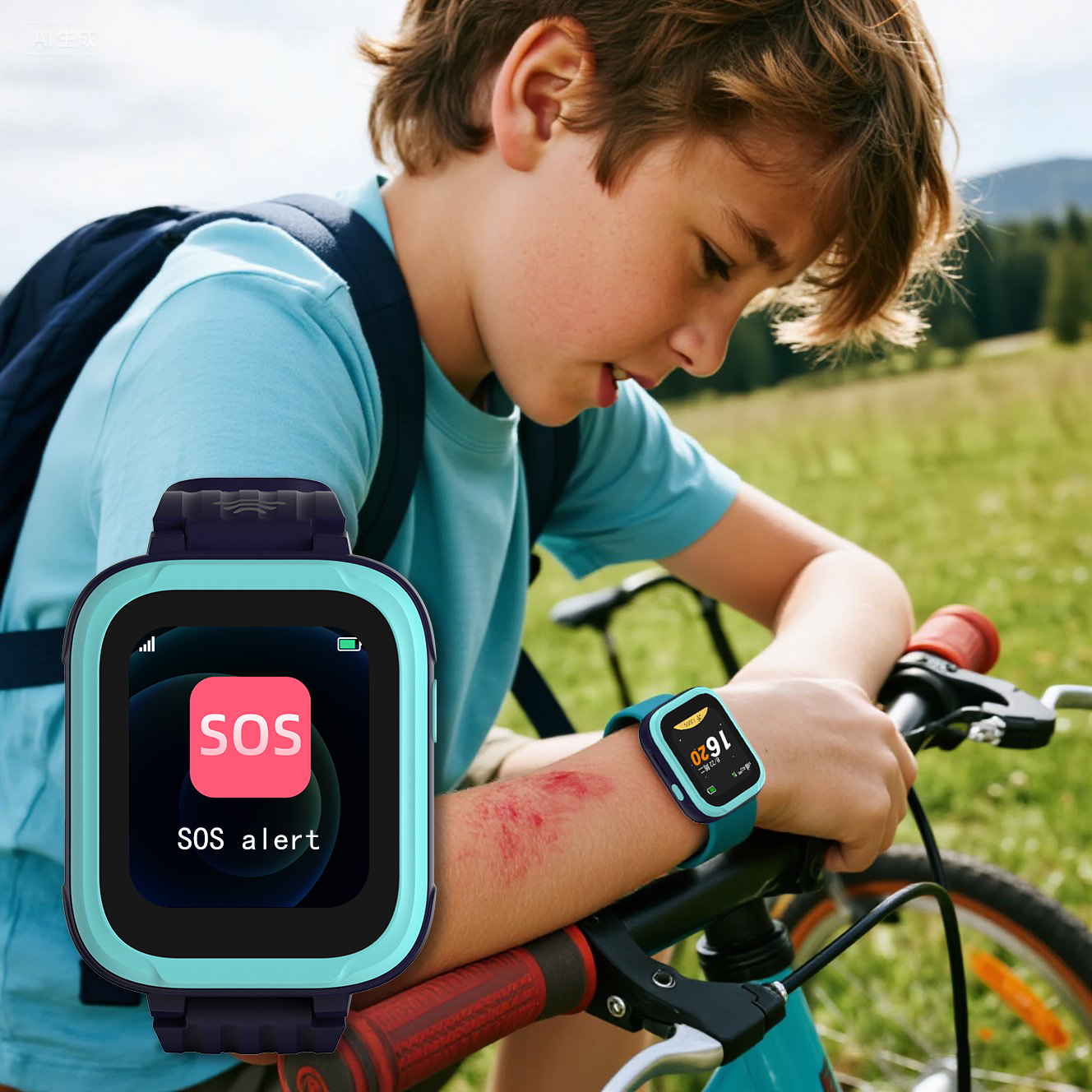
SOS Button | Lets your child alert you quickly in an emergency. |
No Internet Access | Keeps your child away from unsafe content and distractions. |
Simple User Interface | Makes it easy for little hands to use the smartwatch. |
Tip: Choose a smartwatch with a strong case and easy buttons for this age group. You want your child to feel confident using it on their own.
As your child grows, their needs change. A smartwatch for ages 7 to 10 adds more features to help your child become independent. You still get the basics like calling and GPS, but now you see extras that support school and play. For example, School Mode helps your child focus by turning off games and alerts during class. You can set up safe zones, so you know when your child arrives at school or a friend’s house. These smartwatches encourage your child to stay active and creative, with step goals and even a camera for fun photos. You get more control, and your child gets more freedom—without the risks of a smartphone.
Older kids want more from their smartwatch. At this stage, you can look for advanced features like fitness tracking, reminders, and even music playback. Some smartwatches let your child join group chats with approved contacts or use voice assistants for homework help. You might see more customization options, like changing watch faces or adding apps for sports and hobbies. Parental controls still matter, but your child can handle more responsibility. A smartwatch for this age group bridges the gap between a basic kids’ device and a full-featured adult smartwatch.
You want your kids to feel safe when they go out. A smartwatch helps you know where they are with gps tracking. You can check their location anytime using a secure app. Most smartwatches for kids use gps to show where your child is right now. This helps you see if your child got to school or a friend’s house. These smartwatches are made for active kids. They have water-resistant cases and strong bands that stay on the wrist.
Here’s what parents and experts say about gps and safety:
Benefit | Description |
|---|---|
gps tracking | Lets you see your kids’ location right away. |
Durability | Most smartwatches are tough and water-resistant for active kids. |
Privacy | Limited calls and tracking, no social media or internet browsing. |
Note: gps tracking helps you watch over your kids, but experts say you should balance safety and trust. If you monitor too much, kids might feel nervous.
A smartwatch makes it simple for you and your kids to talk. You can call or send messages without giving them social media or internet. This keeps your kids safe from bad content. Many parents like that a smartwatch lets kids reach out in an emergency or just say hi after school.
Kids can call or message only people you approve.
No internet means less chance of seeing harmful things.
Simple talking helps kids learn to be responsible and manage time.
You may see that using a smartwatch helps your kids feel safer. But if you spend too much time on your own phone, your kids might feel left out. Try to pay attention when they contact you.
Parental controls are a big reason parents pick a smartwatch for kids. You can set screen time limits, approve contacts, and turn on class mode during school. Most smartwatches for kids do not let you browse the internet or use social media apps. This keeps your kids focused and safe.
Parental controls let you choose who can contact your kids.
You can set daily limits and help your kids build good habits.
Class mode and contact lists help stop distractions.
Teachers agree these controls help kids use technology in a smart way. When you set clear rules, your kids learn to use tech safely.
You want your child to use their smartwatch safely. Setting rules helps your child know what you expect. Experts say you should match tech choices to how mature your child is. Age is not the only thing to think about. Talk with your child about when and where they can use their smartwatch. You might keep devices out of bedrooms. You can set a bedtime for all electronics.
Rule/Expectation | Description |
|---|---|
Parents will know their kids’ passwords. | This keeps things safe and clear. |
Location sharing should be limited to trusted family members. | This protects privacy and keeps your child safe. |
Clear and appropriate texting guidelines will be established. | This helps your child talk in a good way. |
Phones and other devices are not allowed in the bedroom. | This stops distractions and helps your child sleep better. |
Access to devices and apps may gradually expand as children grow older. | This lets your child become more independent over time. |
You can use these tips too. Be honest with your child about using devices. Make a safe space to talk about media and technology. Keep talking about how to manage digital tools.
You help your child learn to use technology in a smart way. Start by teaching your child about privacy and keeping data safe. Explain why sharing personal information is not a good idea. Experts say parents should learn more about digital safety and privacy laws. You can join training or read guides about protecting data.
Here are some ways to help:
Learn about digital privacy with your child.
Talk with your child about how their data is used.
Encourage your child to ask questions and share worries.
Support your child in making tech choices at school or in groups.
When you teach digital responsibility, your child builds good habits. Your help matters as your child learns to use their smartwatch wisely.
Experts say kids smartwatches are best for ages 4 to 9. The features change as kids get older:
Age Range | Key Focus | Recommended Features |
|---|---|---|
4-6 years | Simplicity and security | Call functions, GPS tracking, short messages |
7-9 years | Independence | Communication without internet, safety tools |
Parents see that being ready is not just about age. Some kids’ habits or personality are more important. Some parents worry about privacy or too much screen time. You can help by setting rules and talking about digital safety. Every child is different, so trust yourself as a parent.
Most experts say ages 7 to 10 work well. You can look at your child’s maturity and needs. Some families start earlier or wait longer. You know your child best.
You can watch for signs of responsibility. If your child keeps track of their things and understands basic safety, it might be the right time to buy. Talk with your child about rules and expectations.
Many schools allow smartwatches if you turn on School Mode or limit features. You should check with your child’s teacher or school office first.
You want GPS tracking, easy calling, and strong parental controls. Younger kids need simple tools. Older kids may want cameras or fitness tracking. Always check for durability.
Most kids smartwatches limit internet access and contacts. You can set privacy controls and approve who your child talks to.
Tip: Always review privacy settings before your child starts using their smartwatch.