Views: 0 Author: Site Editor Publish Time: 2026-06-12 Origin: Site
Modern parents face a growing dilemma almost every single day. You want to ensure safe, reliable communication during school commutes. However, you also recognize the well-documented risks of classroom distractions and early screen addiction. This tension creates immense parental anxiety. Peer pressure often amplifies this stress, especially when you see younger children sporting the latest mobile devices. Yet, maintaining a skeptical stance on rushing into unrestricted smartphone ownership remains both valid and highly necessary.
This post aims to provide a pragmatic, evidence-based framework for your family. We will help you evaluate if your child actually needs a device for school. Furthermore, we will clarify which category of device effectively solves the communication problem without introducing harmful new risks to their daily academic routine.
Readiness depends on behavioral milestones and logistical necessity, not an arbitrary age.
For early grades, a screen-free or highly restricted device (like a 4G Smart Watch) often outperforms traditional smartphones in safety and school compliance.
Strict "School Mode" functionality and whitelist-only communications are non-negotiable features for any device entering a classroom.
A successful device rollout requires a clear parent-child contract and alignment with district policies.
Many parents constantly ask when they should buy a connected device. Age alone rarely dictates true readiness. Instead, you must evaluate the real-world business case for giving them connectivity. We refer to this as the logistical catalyst. Does your child walk to school alone? Do they navigate complex municipal bus routes? Perhaps you coordinate complex schedules across split households. You might also manage irregular pickup times for after-school sports. These practical scenarios often justify a basic communication tool.
Next, you must assess their behavioral maturity. Handing over a standard phone for elementary school child requires significant individual responsibility. Child development experts recommend observing daily habits before introducing technology. Ask yourself these critical behavioral questions:
Does the child consistently demonstrate responsibility regarding physical belongings like lunchboxes, umbrellas, or jackets?
Can they understand and follow strict rules without your immediate supervision?
Do they show basic impulse control when you ask them to turn off television screens at home?
Finally, you must clearly separate parental needs from child wants. You likely need a functional tool to ensure safety during transit. Conversely, your child probably desires access to social media, video platforms, and mobile games. Establishing this vital boundary early prevents future conflict. It helps you focus on purchasing a utility rather than an entertainment center.
Once you determine a device is genuinely necessary, you must choose the right hardware format. Different maturity levels require entirely different solutions. We generally group the current market offerings into three primary categories.
First, consider the walled-garden device. These handheld units run custom, locked-down operating systems. They intentionally lack a standard web browser and an open app store. They work best for the middle school transition phase. Kids at this age need text messaging to coordinate with peers. However, they are typically not emotionally ready for social media algorithms. The main limitation is physical. These are still tangible objects. Kids can drop them, lose them, or get them confiscated if they text during math class.
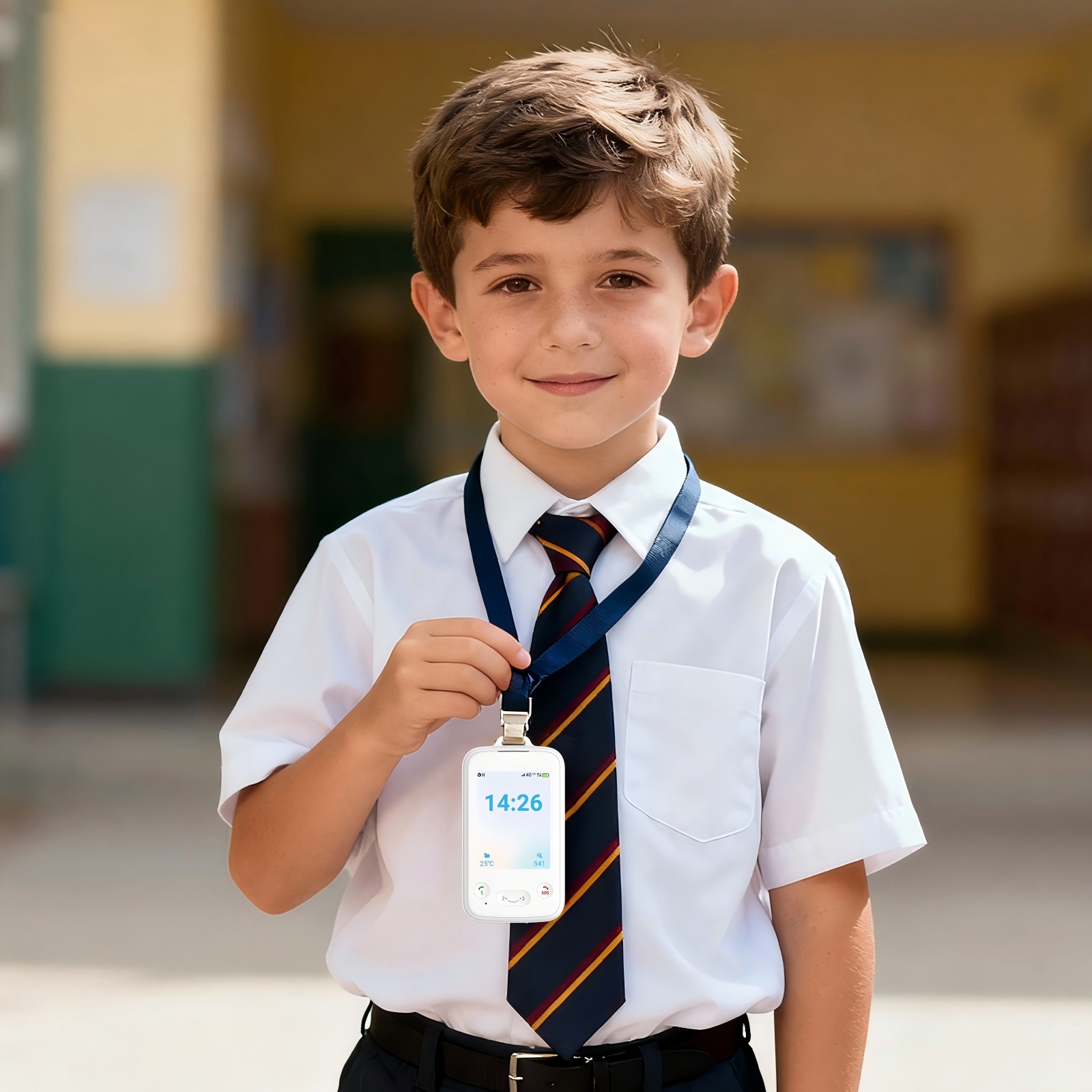
Next, consider modern wearable technology. A dedicated 4G Smart Watch focuses purely on location tracking and simple voice or text communication. These wearables connect exclusively with pre-approved contacts. They are exceptionally suited for elementary school students. Wearables stay securely strapped to the wrist, significantly reducing the chance of loss. They inherently limit screen time due to their small interface. They also remain highly discreet beneath a long-sleeve shirt or jacket.
Finally, there is the standard smartphone equipped with software parental controls. We view this as the high-risk route. Software workarounds are incredibly common among tech-savvy adolescents. Furthermore, maintaining constant surveillance across standard apps exhausts most parents quickly. We generally do not recommend standard smartphones as a first school device.
Device Category | Key Features | Ideal Age Group | School Distraction Risk |
|---|---|---|---|
Walled-Garden Phone | No browsers, no app store, text/call enabled | Middle School (Ages 11-13) | Moderate |
Wearable Smart Watch | Wrist-bound, GPS tracking, voice/text limits | Elementary (Ages 6-10) | Low |
Standard Smartphone | Full internet access, third-party apps, social media | High School (Ages 14+) | High |
When you evaluate specific models online or in stores, you must look past shiny marketing claims. Focus heavily on specific features dictating classroom compliance and physical safety. The right kids phone for school must respect the educational environment above all else.
Your absolute top priority is robust "School Mode" functionality. The device must feature remote-locking capabilities during active class hours, typically between 8:00 AM and 3:00 PM. During this enforced window, the unit should function strictly as an emergency SOS tool or a standard digital watch. This prevents unnecessary disciplinary action and keeps your child focused on their teachers.
Closed-network communication is equally critical for younger users. Industry professionals call this whitelisting. The device requires a hardcoded list of approved contacts managed exclusively via an encrypted parent app. This strict barrier effectively blocks spam calls, predatory outreach, and unmonitored peer messaging. It ensures your child only communicates with trusted family members or designated caregivers.
Location accuracy drives the primary value proposition for parents. You must evaluate the real-world performance of any built-in Kids GPS Tracker. Understand the stark difference between precise satellite GPS and less accurate cell-tower triangulation. The best devices offer reliable automated alerts through geofencing technology. You want an immediate push notification when your child arrives at school. You also want a secondary alert the moment they leave the campus boundary.
Finally, consider everyday hardware durability and battery reality. Active school environments are incredibly tough on sensitive electronics. Look for robust water and shatter resistance ratings. Furthermore, battery life must easily guarantee survival from the early morning bus ride through late after-school programs. A minimum 24-hour standby requirement is absolutely essential. A dead battery during a true emergency renders the entire device useless.
Purchasing the hardware is merely the first step. You must also smoothly navigate the broader school ecosystem. We strongly advise parents to audit specific school device policies before making any purchase. Many modern districts now enforce strict zero-tolerance policies for handheld cellular phones. Teachers will confiscate visible devices immediately upon seeing them. However, many of these same academic institutions permit wearable trackers if they remain completely silent and unobtrusive.
You must also carefully address the cognitive distraction factor. Having a connected device impacts a child mentally, even while it sits quietly in a backpack. Educational psychologists note that the mere presence of a kids phone can measurably reduce working memory capacity. Children unconsciously anticipate text messages or app notifications. This draws their passive attention away from classroom instruction. Removing the screen interface entirely helps mitigate this invisible cognitive load.
Security and digital privacy form another major implementation risk category. You must choose manufacturers demonstrating highly transparent data practices. Ensure they encrypt child location data securely on their remote servers. Verify through their privacy policy that they never sell user profiles to third-party data brokers. Look explicitly for COPPA compliance (Children's Online Privacy Protection Act). This federal standard guarantees the company handles your sensitive family data legally and safely.
Handing over a newly connected device instantly changes your family dynamic. A successful rollout requires clear, upfront communication and very firm boundaries. You must establish a written parent-child device contract from day one.
Start the conversation by establishing the hardware as a tool, not a toy. Set a firm baseline expectation immediately. The unit serves strictly as a parental utility for safety, logistics, and emergency contact. It is not a personal entertainment center meant to cure boredom. When children fully understand this practical framing, they naturally feel less entitled to unrestricted usage.
Next, define the specific rules of engagement. Put these rules in writing and review them together calmly.
Require mandatory docking in a central home location every evening. Do not allow devices in bedrooms overnight. This protects vital sleep hygiene.
Secure a mutual agreement regarding periodic parental audits. You reserve the explicit right to check messages and review usage patterns regularly without warning.
Establish clear, predictable consequences for violating school rules. For instance, an in-class infraction might trigger an immediate downgrade to a basic tracker for a month.
Enforcing these household rules requires parental consistency. If you let behavioral boundaries slip, the device quickly transitions from a helpful logistical tool into a daily disciplinary problem.
Purchasing a communication device for your child involves ongoing management. It is never just a singular retail transaction. To secure peace of mind during the school day while mitigating academic risks, keep these actionable next steps in mind:
Prioritize a purpose-built restricted device or a wearable over a standard smartphone for the early grades.
Review your local school district policy handbook thoroughly to ensure full compliance before buying any hardware.
Draft and sign a clear usage contract with your child to set firm operational boundaries.
Test the location tracking and emergency SOS features during a weekend run to verify cellular reliability.
A: The safest options are screen-free wearables or completely locked-down handheld devices. These specific units eliminate web browsers and app stores to prevent digital distractions entirely. They should also feature strict whitelist-only communication, ensuring your child can only contact pre-approved family members. This approach maximizes physical safety while actively shielding them from severe online risks.
A: Yes. Schools generally have the legal right to enforce their specific code of conduct and maintain an orderly educational environment. If a device disrupts classroom learning, teachers and administrators can confiscate it according to district policies. This highlights the absolute necessity of utilizing a strict "School Mode" feature to keep devices silent and compliant during class hours.
A: Dedicated cellular trackers are vastly superior for children. AirTags rely entirely on proximity to nearby Apple devices to relay passive location data, which can easily fail in specific environments. More importantly, they completely lack two-way communication capabilities. A dedicated tracker or cellular watch offers an independent connection, real-time location accuracy, and vital emergency calling features.